Wedding seating planner online
Plan your guest seating arrangement in minutes. Drag guests to tables, add different table shapes, and export your finished plan to PDF - free, no sign-up required.
Try it free belowHow the wedding table planner works
Add tables
Create your venue layout - round, rectangular, or head tables. Set the number of seats and name each table.
Add guests
Enter guest names one by one. Each guest appears in the sidebar panel, ready to be assigned to a seat.
Drag to tables
Drag guests from the sidebar onto specific seats at tables. On mobile, tap a guest and then select a seat.
Export to PDF
Generate a professional table plan or guest list in PDF format, ready to print for your venue staff.
Example seating plan for 80 guests
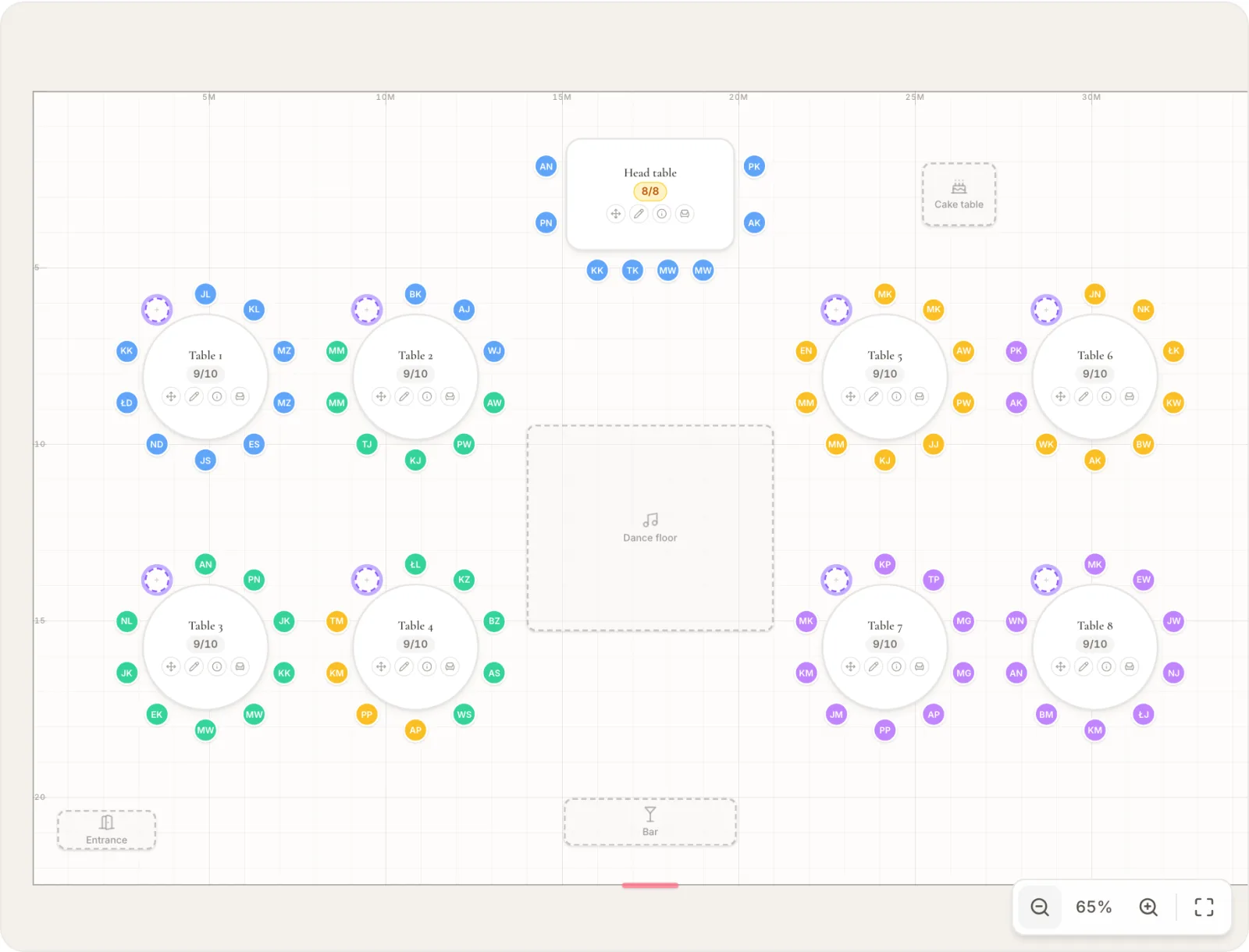
This is a finished plan in this planner: a head table for 8, eight round tables of 10, a dance floor, a bar and a cake table. Both PDFs below are the real export of this room. All names are made up.
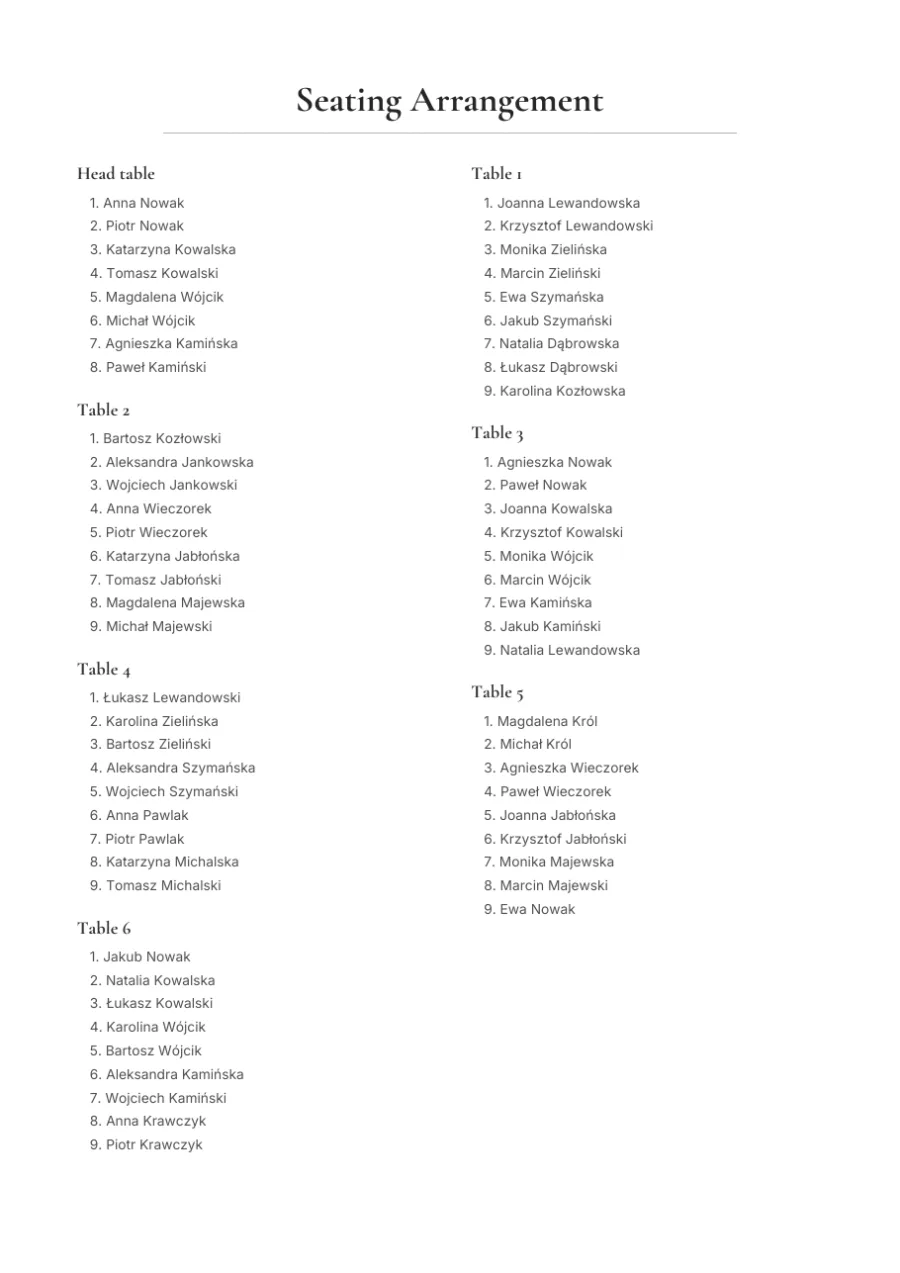
Seating plan for the venue staff
Guests listed table by table, with a drawing of the room and its dimensions on the last page. This is the file to hand to your venue coordinator.
Download the example PDF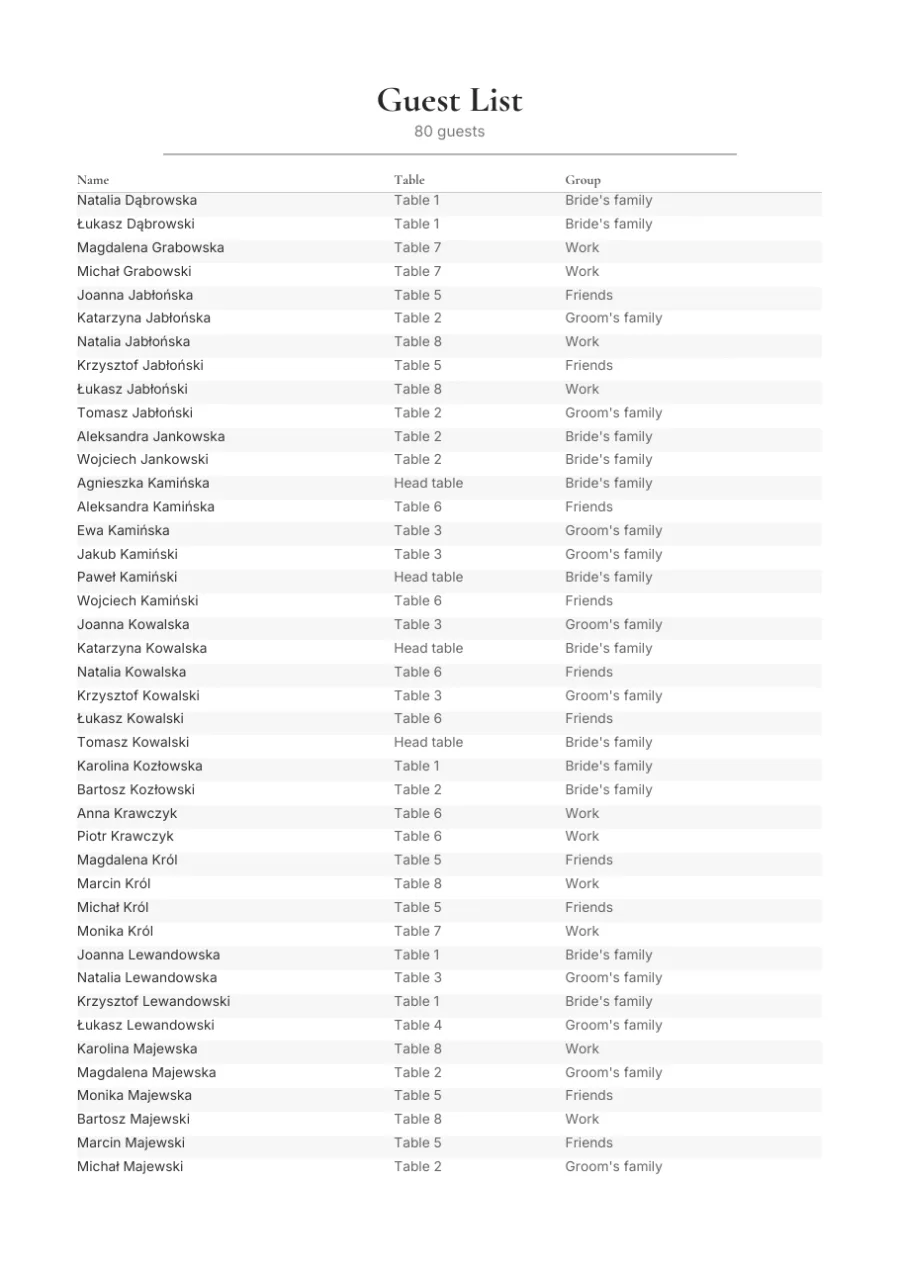
Alphabetical guest list
Every guest with their table and group. Print it for the entrance so guests find their seats quickly.
Download the example PDFWhy plan your guest seating online
Save hours of planning
Skip the sticky notes and spreadsheets. Seat your guests in minutes with an intuitive drag-and-drop interface.
Avoid awkward seating
See your entire layout on one screen and easily move guests around to prevent uncomfortable table neighbors.
Professional PDF export
Export a polished table plan and alphabetical guest list to PDF - perfect for your venue coordinator.
Free, no sign-up needed
Use the planner without creating an account. Data is saved locally in your browser. Want permanent storage? Create an account.
Seating planner FAQ
A table plan for every wedding size
A table plan for 50, 100 or 150 guests
The number of tables grows with your guest list. For 50 guests you usually need 6-7 round tables of 8 seats, 100 guests means about 12-13 tables, and a wedding for 150 people calls for 18-19 tables or a mix of round tables with rectangular ones placed along the walls. You do not have to work this out on paper - the wedding table planner shows the occupancy of each table and the number of free seats in real time, so you can see at once whether your room layout fits everyone invited. Add more tables with a single click and adjust the seat count while your guest list is still changing.
A head table or round tables?
The table shape you choose shapes the mood of the reception. A head table is the traditional, prominent spot for the couple, witnesses and closest family, set facing the room. Round tables encourage conversation because everyone can see each other, which works well for mixed groups of friends and family. Rectangular tables seat more people along the walls and make it easier to serve large groups. The planner gives you all three shapes at once, so you can combine a head table with round tables for guests and rectangular ones wherever every seat counts.
How many people fit at a round wedding table?
At a typical round wedding table 150-180 cm across, 8-10 people sit comfortably, and if you want more room and comfort around each place setting it is better to plan for 6-8 guests. Seating people too tightly makes conversation and serving harder, so it is worth leaving a little space between chairs. The planner keeps an eye on the seat limit at each table - you set the capacity once and the tool will not let you exceed the number of chairs, flagging right away when a table is full. This helps you avoid running out of seats for some guests on the wedding day.
More free wedding tools
Guest list template
Download your guest list as Excel or CSV, or fill it in online - the columns import into the panel with no manual mapping.
Print place cards for your guests
Create personalised wedding place cards with over 70 templates and PDF export.
Invitation generator
Design and print wedding invitations in matching styles.
Check your wedding to-do list
127 wedding tasks with automatic timeline and Polish tradition support.
Budget calculator
Plan your wedding budget with Polish 2026 prices. Compare scenarios and check per-person cost.
Create a wedding QR code
Generate a permanent static QR code and download it as a print-ready PNG or SVG.
Save your plan permanently
Create a free account and build your seating plan in the couple's dashboard: from any device, together with the guest list and RSVPs on your wedding website.