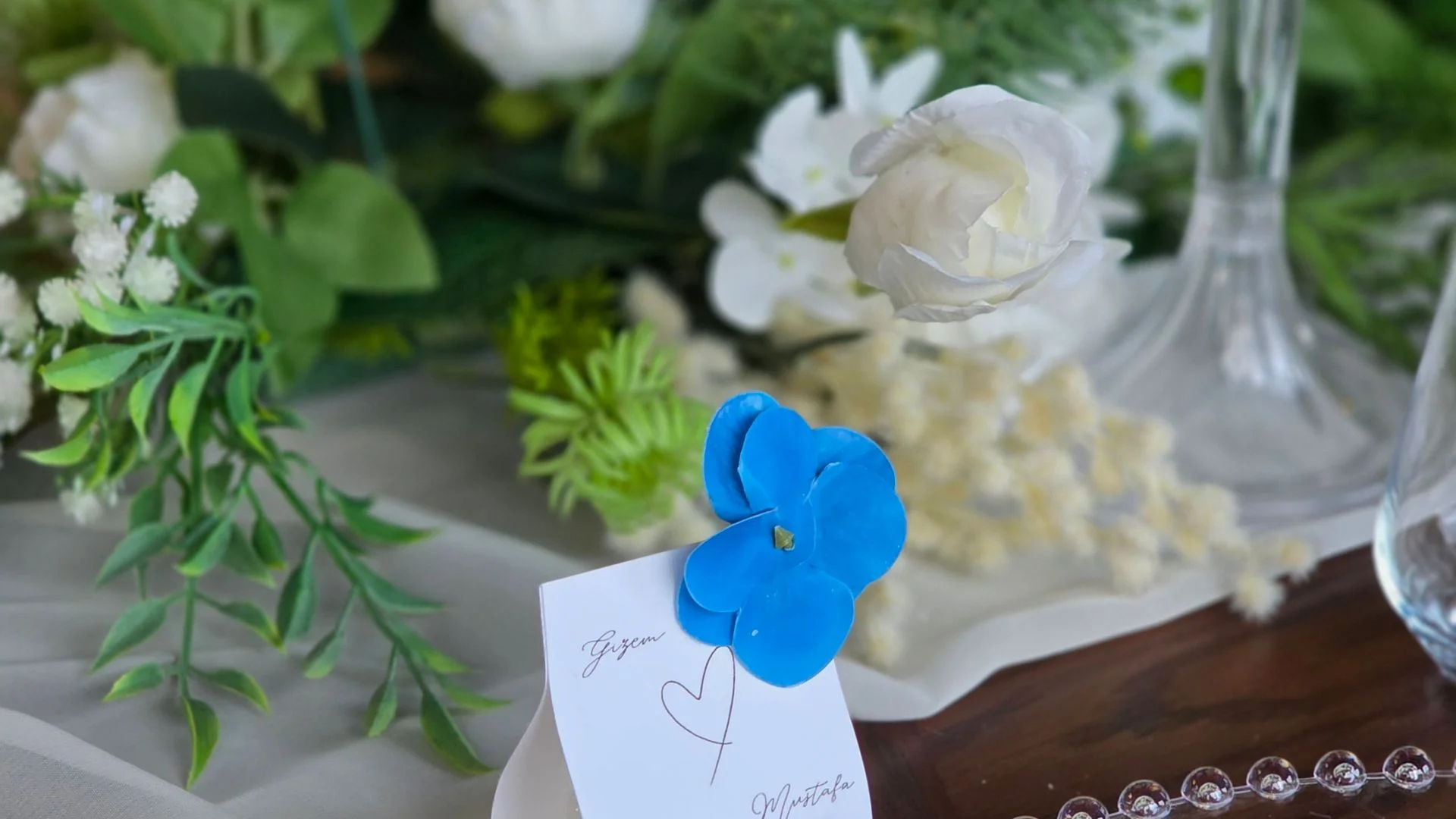
Free Wedding Place Card Generator for Print

35+ templates, editable backs, and an A4 PDF sized for folded 90 x 50 mm wedding place cards you can print and cut at home.

Try it free below

What are wedding place cards and how to prepare them

Wedding place cards are small folded cards placed at each table setting to guide guests to their assigned seat. They also serve a decorative role - when matched to the wedding theme they give the venue a polished, cohesive look. Traditional folded place cards stand upright between cutlery or glasses, while tent-style cards lean against the edge of a plate or a small stand.

The standard size for a folded wedding place card is 90 x 50 mm before folding, or 85 x 55 mm - both formats tile comfortably on an A4 sheet and do not crowd the table setting. The generator supports several print presets: 90 x 50 mm (default European), 85 x 55 mm, and 100 x 50 mm, so you can match the size to your wedding stationery suite. For printing, we recommend 200-250 gsm cardstock - it holds the fold cleanly, resists bleed-through, and feels substantial in hand.

When choosing between folded and tent-style place cards, consider your wedding style. Folded cards are more classic and take up less space on the table, while tent cards (with a scored or slotted base) display the full design upright and photograph well - a great fit for boho or outdoor weddings. The place card generator lets you prepare a print-ready PDF in minutes: add guests, choose a template, and click export.

  • Standard dimensions: 90 x 50 mm or 85 x 55 mm (before folding)
  • Paper weight: 200-250 gsm cardstock recommended
  • Folded cards - classic style, less table space
  • Tent cards - eye-catching, popular with photographers

How it works

01

Add guests

Use your own guest list in free mode, or open the same generator in admin and work from your wedding guests directly.

02

Choose a template

Switch between 35+ template variants across classic, botanical, modern, romantic, rustic, and bold families.

03

Set the back side

Keep the back blank, add one shared message with font choices, or unlock a QR back that points to your wedding page.

04

Export A4 PDF

Pick 4-up or 6-up sheet density and generate a print-ready PDF with consistent card size and cut guides.

Why use this generator

Consistent print size

Every template uses the same 90 x 50 mm folded format, so switching styles never breaks your print layout.

Made for home cutting

The export uses approved A4 packing and guide lines, so the file is practical to print, score, and cut yourself.

QR backs when you need them

Premium weddings can export QR backs that open the live page, with preview fallback when the wedding site is still unpublished.

Public and admin flow match

You can test the tool anonymously first and later use the same generator in admin with your real wedding guest list.

Sample wedding place card templates

Place-card generator FAQ

Yes. The public generator works entirely without registration and lets you build your own guest list locally in the browser. Your data stays on your device and is never sent to any server, so you can experiment freely before committing to a workflow. You can add, rename, and reorder guests, assign table numbers, and preview how the finished cards will look in real time. When you are happy, export a print-ready PDF and take it to any copy shop or home printer. For the best results, use 200-250 gsm cardstock - standard printer paper (80 gsm) is too thin for folded place cards and will not stand upright on a table. If you later decide to upgrade to a paid wedding page, the same generator is available inside admin with your permanent guest list and premium QR-code backs. Go to checkout.

The default and locked v1 format is a folded 90 x 50 mm place card. When folded in half along the long edge, the card stands upright to roughly 45 mm tall and 50 mm wide, which is a practical European wedding size that fits neatly beside a dinner plate without crowding the table setting. The flat (unfolded) dimensions of 90 x 50 mm tile efficiently onto a standard A4 sheet (210 x 297 mm) in either 4-up or 6-up layout with comfortable cutting margins. For printing, we recommend 200-250 gsm smooth cardstock - it holds the fold cleanly and feels substantial in hand. After printing, use a metal ruler and a bone folder (or the back of a spoon) to score the centre fold line before bending; this gives you a crisp, professional fold instead of a wobbly crease. A sharp craft knife or paper trimmer beats scissors for straight edges.

Yes. Every PDF export includes a front sheet and a matching back sheet so you can do duplex (double-sided) printing. You choose from three back options: a blank back (clean and minimal), a shared text back (the same message printed on every card - great for a thank-you note or menu summary), or a QR-code back (available when the wedding has premium access). The QR back generates a unique code that guests can scan with their phone to open your live wedding page and confirm attendance, see directions, or browse the gallery. For duplex printing, most home printers have a manual flip option - print the fronts first, then reload the stack face-down and print the backs. Align a test page before the full run to make sure front and back register correctly. Using 200-250 gsm cardstock will reduce bleed-through and produce a more polished result. Go to checkout.

Yes. Inside the admin panel, the place-card generator automatically reads the selected wedding event and pulls in your full guest list - names, table assignments, and all - so you never need to retype anything. Any changes you make to guests in the admin (adding new RSVPs, correcting a name, reassigning tables) are reflected in the generator instantly thanks to real-time sync. This is especially useful in the final days before the wedding when last-minute changes are common. The admin flow also unlocks the QR-code back option if your wedding is on the paid plan, letting you print cards that link directly to your published wedding page. You can still override individual names or table numbers inside the generator without affecting the main guest list. We recommend printing a test batch on 200-250 gsm cardstock first to verify fonts and layout before doing the full run. Go to checkout.

The two layout options control how many place cards fit on a single A4 sheet (210 x 297 mm). The 4-up layout places four cards per page with wider margins between them, giving you more room to cut along the lines without accidentally trimming into the design. This is the safer choice if you are cutting by hand with scissors or a craft knife. The 6-up layout squeezes six cards onto the same sheet, which saves paper and is ideal for large guest lists - for example, 120 guests need only 20 sheets in 6-up versus 30 sheets in 4-up. The trade-off is tighter margins, so a paper trimmer or guillotine cutter is recommended for clean edges. Regardless of layout, we suggest 200-250 gsm cardstock for a sturdy, professional feel. Lighter paper tends to curl or flop over instead of standing upright on the table.

In admin, the QR code on each card's back dynamically targets the best available URL. If your wedding page is already published with a custom domain, the QR points directly to that live address so guests land on the real site. If the page is still in draft and has not been published yet, the QR falls back to the secure preview URL so you can still hand out printed cards at engagement parties or rehearsal dinners without waiting for launch. Once you publish, previously printed QR codes that use the preview URL will continue to work - the preview link redirects to the live page automatically. The QR is generated at export time, so if you change your domain later you will need to re-export and reprint. For scanning reliability, print the QR backs on white or very light cardstock at 200-250 gsm, and make sure the printer resolution is at least 300 dpi to keep the code crisp. Go to checkout.

A wedding place card needs just the guest's first and last name - this is the essential information that helps them find their seat. If you are using a seating plan, you can add a table number or name below the name (e.g. Table 3 or Family Table). The generator has an optional table number display built in. For couples or titled guests, common formats are: Anna and Mark Smith (one card for a couple), Anna Smith (individual card), or Dr Anna Smith. Keep the text short - the card should be readable from arm's length. Go to checkout.

Folded place cards (folded along the long edge) are the more traditional option and take up less space at each setting - a great fit for elegant, glamour, or rustic weddings. Tent-style cards (with a score or slot base) show the full design vertically and photograph well, which makes them popular at boho and outdoor weddings. The wedding place card generator uses a folded 90 x 50 mm format with cut guides and a centre fold line printed on the A4 PDF, making it straightforward to produce both folded and tent-style cards at home.

To print wedding place cards at home, set your printer driver to 200-250 gsm paper weight and choose the highest print quality (600 dpi or above). Do a test print on regular paper first to check margins and alignment. Before folding, score the cardstock along the centre fold line using a metal ruler and a bone folder or the back of a spoon - this gives a crisp, clean fold without cracking the card. Cut along the guide lines with a craft knife or paper trimmer for straight edges; scissors can leave rough edges on thicker cardstock. For double-sided printing, print all fronts first, then reload the stack and print the backs - do one test sheet before the full run to confirm front and back register correctly.

You do not need to hunt for a blank place card template to download - the wedding place card generator creates a ready-to-print PDF template for free, with your guests' names already filled in. Pick a design, type or paste your guest list, and download a print-ready A4 PDF (4-up or 6-up layout with cut marks). The file works like a classic place card PDF template, but without typing names by hand in Word or Canva - you can change the data anytime and download a fresh sheet. If you prefer blank cards, simply leave the name fields empty and print the design on its own.

Need permanent guest data and QR export?

Open the same generator in your admin panel to work with real wedding guests and unlock premium QR backs when your wedding is on the paid plan.